

← All articles
Neuroathletic training & performance
Zielzeit: a free timer for precise movements and neuroathletic training
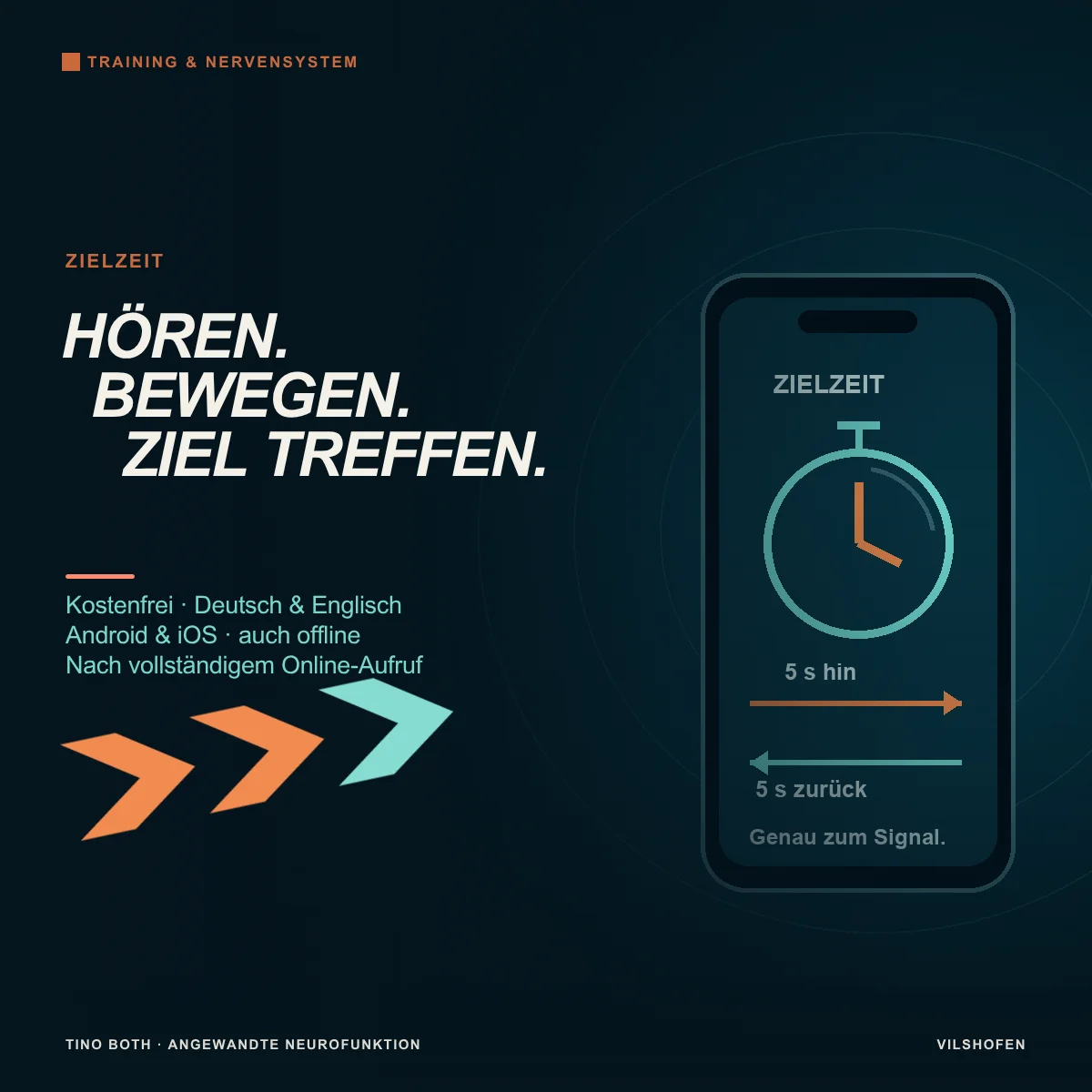
A hand moves towards a target. One time, it should arrive before the next signal. Another time, exactly on it, without waiting beforehand or speeding up at the end. The same movement becomes a different task through its timing rule. That is why I developed Zielzeit: a free timer for targeted movement tasks.
Zielzeit connects hearing, starting, moving and meeting a time point. Choose between three rules, set the start delay and practise single attempts or automatic series. The app runs in German and English and, after setup, also offline on Android and iOS.
Go straight to the appOpen Zielzeit for free. First define your movement and its target. Then choose the mode and listen to the signal tone using the test function.
Why use a timer for movement tasks?
A movement may go well at your own pace. Adding a start signal or fixed time window changes the demands: you prepare, wait for the actual tone and organise the movement to fulfil the agreed task. Timing and accuracy belong together.
In neuroathletic training, this might be a hand moving through the centre of a ring, a targeted foot tap or a slowly guided arm path. You change the time frame of an already familiar movement. Sometimes the aim is prompt action; sometimes it is controlled use of the whole available time.
The app provides sound signals and counts played rounds. You or another person observes whether you hit the target, started too early or returned in time. Define the precise task rule before starting.
The three modes: which timing rule fits?
1. Before the signal: finish before the end toneBegin the movement with the start tone. It must be completed before the start of the end tone. Movement time can be set to 0.1–30 seconds.
Example: Two seconds to touch a nearby target with your hand. If the return must also fit into this time, make that an explicit part of your task rule. The end tone's duration does not extend the movement window.
Example: Two seconds to touch a nearby target with your hand. If the return must also fit into this time, make that an explicit part of your task rule. The end tone's duration does not extend the movement window.
2. Within the tone: the sound itself is the time windowStart as soon as the tone begins and finish before it ends. The tone duration is 0.1–2 seconds. A later second tone is unnecessary for this rule.
Example: Touch a nearby target by hand and return to the starting position within a 1.5-second tone. Keep the path short and controlled enough for both movements to fit into the window.
Example: Touch a nearby target by hand and return to the starting position within a 1.5-second tone. Keep the path short and controlled enough for both movements to fit into the window.
3. Exactly on the signal: meet the target timeBegin at the start tone and reach your target position exactly on the next tone. An optional return follows until another tone. Outward and return paths can each be set separately between 0.5 and 60 seconds.
Example: Five seconds out and five seconds back: start tone at 0, target at 5, back at the starting position at 10 seconds. Distribute the movement along the path instead of arriving early and waiting for the tone.
Example: Five seconds out and five seconds back: start tone at 0, target at 5, back at the starting position at 10 seconds. Distribute the movement along the path instead of arriving early and waiting for the tone.
Distinguish preparation from start delay
After starting, you have three seconds to prepare and take your starting position. The start delay follows. Only the tone starts the movement task. During waiting, no descending countdown reveals when the signal will come.
Fixed or random startFixed: Choose a wait between 0 and 30 seconds.
Random: Set a lower and upper limit within 0–30 seconds. The app chooses the start within this window.
A starting option is a random wait of 1–3 seconds. Remain ready but begin only on the tone. Movement time and waiting time are separate settings.
Random: Set a lower and upper limit within 0–30 seconds. The app chooses the start within this window.
A starting option is a random wait of 1–3 seconds. Remain ready but begin only on the tone. Movement time and waiting time are separate settings.
Set single attempts, series and recovery
One attempt or 2–50 roundsA single attempt suits familiarisation, changing a target point or feedback after every movement. With a series of 2–50 rounds the app repeats the sequence automatically. You do not need to press a button during movement.
Recovery: 0.5–60 secondsThe selected recovery pause occurs between rounds. The start delay then follows additionally. With five seconds of recovery and a random start after 1–3 seconds, six to eight seconds pass between one attempt ending and the next start signal. Allow enough time for a clear starting position.
Record your own task textUse the optional text field to note the rule, for example “Right hand through ring and back” or “5 seconds out, 7 seconds back”. This helps orientation before the next round. Tasks you write yourself remain in the language entered when switching between German and English.
Sound, display and interruptions
Choose an easily audible volume and use Test sound before taking position. The phases Preparation, Waiting, Movement and Recovery show your place in the sequence during the session. A progress display and round counter help you keep track.
With Pause or when moving into the background, the current task is interrupted. On resuming, that attempt restarts after fresh preparation. Completed rounds remain counted. The app does not resume a partly elapsed movement window in the middle of your movement. Settings are saved locally in the browser used.
For short windows, use the device speaker or wired audio output where possible. Bluetooth may delay sound playback. Use the same device and audio setup for comparisons. What matters is the task you actually hear and perform.
Five neuroathletic training examples
The following times are starting examples, not performance norms. Perform the path without time pressure first. Choose an easily reachable target and a movement you can finish in control. Keep target position and rule unchanged within a comparison block. A few deliberate repetitions are enough initially.
1. Hand through the ring centre and backAim: Connect an audible start, visual target and precise arm movement.
Setup: Another person holds a wide ring still within comfortable reach. Their hands remain outside the ring and their face outside the movement path.
Settings: “Before the signal”, 2 seconds, random start after 1–3 seconds, single attempt. Task text: “Right hand through ring and back”.
Execution: Start only on the tone, reach through the open centre and return before the end tone. Compare: hit the centre, waited for the tone and returned in control? Repeat with the other arm. Shorten the time only once the sequence works safely.
Setup: Another person holds a wide ring still within comfortable reach. Their hands remain outside the ring and their face outside the movement path.
Settings: “Before the signal”, 2 seconds, random start after 1–3 seconds, single attempt. Task text: “Right hand through ring and back”.
Execution: Start only on the tone, reach through the open centre and return before the end tone. Compare: hit the centre, waited for the tone and returned in control? Repeat with the other arm. Shorten the time only once the sequence works safely.
2. Complete a short arm path within the toneAim: Perceive the tone's onset and organise a short movement within its audible duration.
Setup: Sit securely in front of a nearby, clearly visible target.
Settings: “Within the tone”, 1.5 seconds, random start 1–3 seconds; 4 rounds, 5 seconds recovery.
Execution: Touch the target at tone onset and return before it ends. If the path does not fit comfortably, increase the window to 2 seconds or shorten the path.
Comparison: Describe the most successful repetition: were you more calmly ready, was the path more direct or the start clearer? A shorter tone duration is only the next step.
Setup: Sit securely in front of a nearby, clearly visible target.
Settings: “Within the tone”, 1.5 seconds, random start 1–3 seconds; 4 rounds, 5 seconds recovery.
Execution: Touch the target at tone onset and return before it ends. If the path does not fit comfortably, increase the window to 2 seconds or shorten the path.
Comparison: Describe the most successful repetition: were you more calmly ready, was the path more direct or the start clearer? A shorter tone duration is only the next step.
3. Foot to target and back to the starting stanceAim: Connect a visible target with controlled foot movement and an appropriately timed return.
Setup: Mark a nearby point on the floor. Choose a stable starting position and a firm hand support if needed.
Settings: “Before the signal”, initially 2 seconds, random start after 1–3 seconds, single attempt.
Execution: Tap the point with one foot and return to your starting position before the end tone. The target point initially stays the same. Check each side separately.
Variation: Sitting, a shorter path or later a different target location each changes the task in its own way.
Setup: Mark a nearby point on the floor. Choose a stable starting position and a firm hand support if needed.
Settings: “Before the signal”, initially 2 seconds, random start after 1–3 seconds, single attempt.
Execution: Tap the point with one foot and return to your starting position before the end tone. The target point initially stays the same. Check each side separately.
Variation: Sitting, a shorter path or later a different target location each changes the task in its own way.
4. Five seconds out and five seconds backAim: Distribute an arm path evenly and reach its endpoints at the correct times.
Settings: “Exactly on the signal”, outward path 5 seconds, return enabled and also 5 seconds; fixed start delay 2 seconds, 4 rounds, 5 seconds recovery.
Execution: From the start tone, move your hand towards a comfortably reachable target. It arrives exactly with the next tone. Begin the return without an additional wait; reach the starting position on the following tone.
Comparison: Does the path remain fluid? Or do you wait initially, accelerate at the end or arrive too early? Another person can help observe the endpoints.
Settings: “Exactly on the signal”, outward path 5 seconds, return enabled and also 5 seconds; fixed start delay 2 seconds, 4 rounds, 5 seconds recovery.
Execution: From the start tone, move your hand towards a comfortably reachable target. It arrives exactly with the next tone. Begin the return without an additional wait; reach the starting position on the following tone.
Comparison: Does the path remain fluid? Or do you wait initially, accelerate at the end or arrive too early? Another person can help observe the endpoints.
5. Deliberately time outward and return paths differentlyAim: Adapt your sense of timing to movement phases of different lengths.
Settings: As in example 4, now 3 seconds out and 7 seconds back. 4 rounds with sufficient recovery.
Execution: Cover the same distance faster going out and slower returning. Meet each endpoint exactly on the signal. Distance and range stay unchanged.
Comparison: Then switch separately to 5 and 5 seconds. This compares the temporal organisation of the same movement. The 3/7 distribution is an exercise variation using the app's separate time fields.
Settings: As in example 4, now 3 seconds out and 7 seconds back. 4 rounds with sufficient recovery.
Execution: Cover the same distance faster going out and slower returning. Meet each endpoint exactly on the signal. Distance and range stay unchanged.
Comparison: Then switch separately to 5 and 5 seconds. This compares the temporal organisation of the same movement. The 3/7 distribution is an exercise variation using the app's separate time fields.
Make progress visible
Note rule, target position, side, times and observations outside the app. Three questions suffice for a brief comparison: Started only on the tone? Reached the agreed target? Followed the timing rule? Change only one point in the next block, such as movement time or target location.
The counter records played sequences. Four counted rounds mean four offered attempts. Automatic accuracy rates, reaction-time measurement or saved success statistics are not part of the app. Your observation or feedback from someone accompanying you complements the sound signal.
Use in German and English
Use the DE/EN language button to switch the interface, instructions and installation help. The choice remains saved in the browser used if it allows storage. Other apps of mine opened on the same website adopt this language. Choose it separately on other devices or in other browsers.
Free on Android and iOS, including offline
Use is free of charge and without an account. Open the desired app on my website and tap the installation button with the arrow. It opens either available installation or suitable instructions for your device and browser. No separate installation file is required.
Android: add to the home screenOpen the app, for example, in Chrome and use the installation button. Follow the offered dialogue or instructions to add it to the home screen.
iPhone and iPad: add as a web appOpen the app in Safari. Installation help guides you through Share → Add to Home Screen. Enable “Open as Web App” if offered, and confirm with “Add”.
Prepare for offline use: Fully open each desired app once with an internet connection, then through its new icon too. As long as the saved browser data remains, use it without Wi-Fi or mobile data. Check this before your first offline session. Opening the overview page alone does not set up the individual apps.
After website data is deleted, load the app online again. Updates and links to my support also need internet. Installation help also covers supported computer browsers, such as Chrome or Safari on Mac.
How Zielzeit complements my work
In my work with Applied Neurofunction I consider how perception, preparation and movement work together. If a task becomes much harder under time pressure, we assess the functions involved more closely. Through suitable integrations, we address notable connections and then compare the movement again.
Zielzeit helps define the time frame of a selected task clearly and resume it at home. Together, we tailor the target, path, side and timing rule to you. A sound signal thereby becomes a specific exercise for your daily life or sport.